 Bot Courier
Independent Chrome extension
Special
delivery.
Delivered straight to your Grok Bot
Turn selected text and links into a draft. You review it and press send.
See it in Chrome
How it works
Browser → Bot- 01 / SELECT
Pick the passage.
Highlight a sentence, right-click a link, or start from the page you’re reading.
- 02 / DRAFT
Give it a brief.
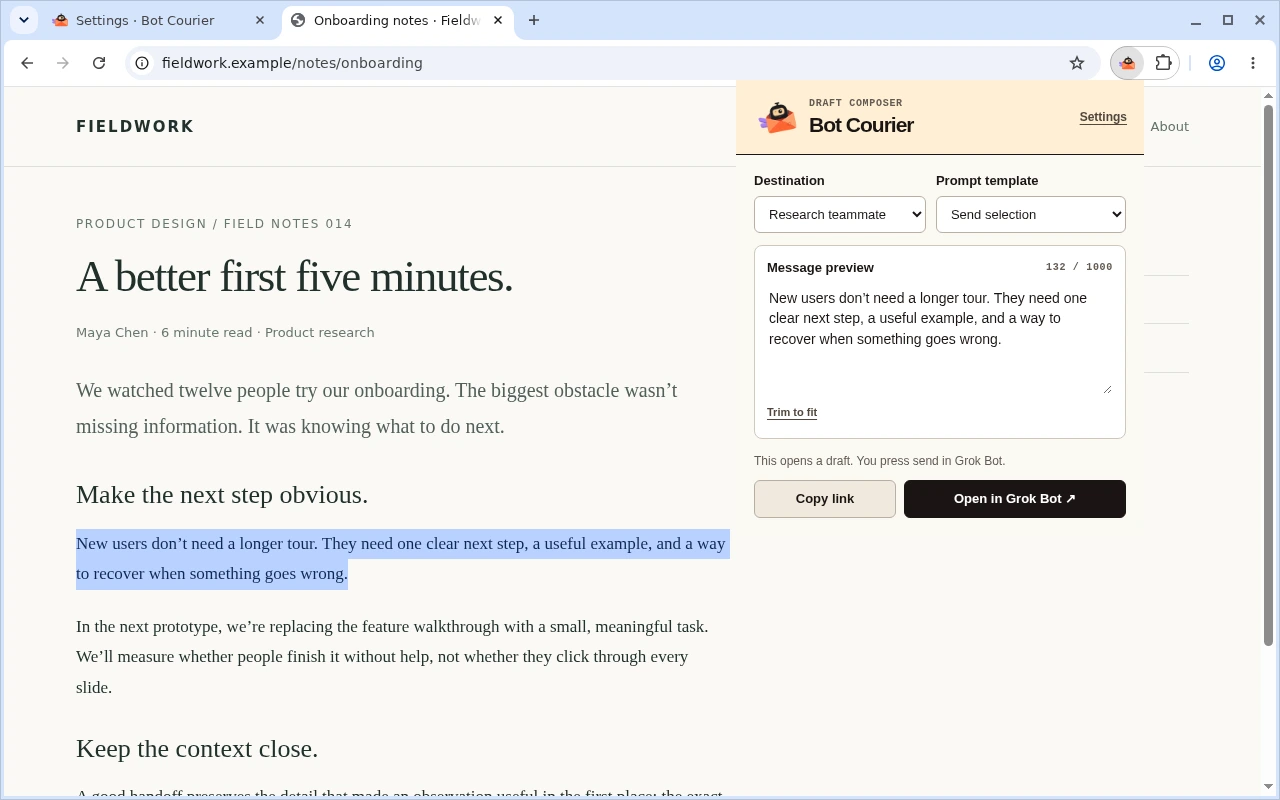
Choose a Bot and a saved prompt. Edit the draft in the toolbar popup.
- 03 / OPEN
You press send.
Open the draft in the Grok Bot app. Nothing posts to the conversation until you send it.
Fig. 02 / Toolbar popup
The draft,
before it flies.
Check the wording, change the destination, or copy the deep link instead.
Setup & support